

How to Deposit on Msport Using OPay in Nigeria
Learn how to fund your Msport account using OPay in Nigeria 🇳🇬. Step-by-step deposit guide, payment options, and tips for quick, secure transactions with ease 💳✅.
Edited By
Thomas Green
Depositing money on MSport using OPay normally should be smooth and fast. But sometimes, you find that the deposit doesn’t appear instantly in your betting account. This delay can be frustrating, especially when you want to place bets urgently.
Several factors can cause your MSport OPay deposit to stall or not reflect on time. It’s not always a fault of the platform alone; network hiccups, bank processing times, or even your own transaction confirmation steps can play a role. Understanding these common reasons will help you figure out what went wrong without panicking.
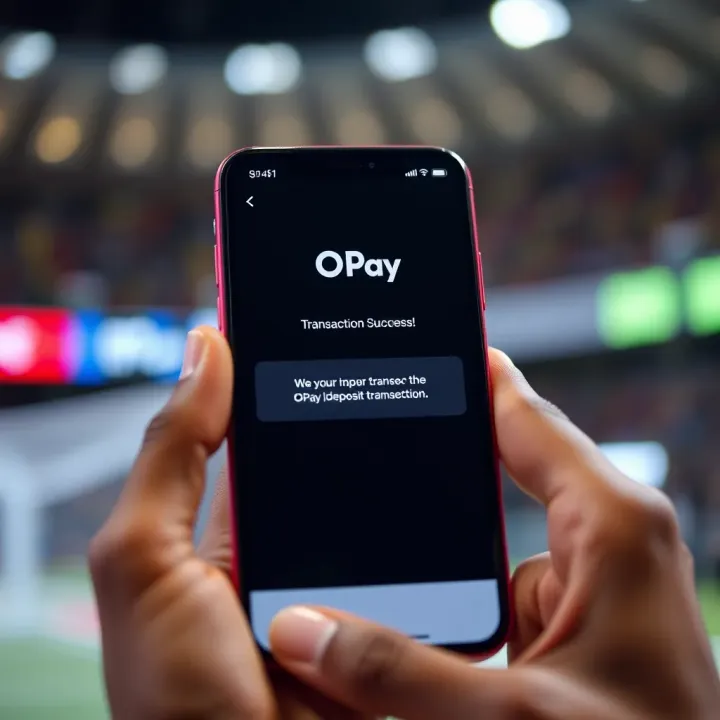
For instance, a network glitch between OPay’s payment gateway and MSport could hold up the confirmation. Sometimes, banks delay completing transactions, especially during busy periods like ember months or public holidays. Irregularities like entering wrong account details or limits on daily transactions on OPay can also block deposits.
That said, always verify your transaction status. Check your OPay app for a debit confirmation or transaction history. If it shows successful debit but the funds don’t reflect on MSport, then the hold-up may be on MSport’s end or a syncing issue between both systems.
If you notice any delay, do not immediately retry the deposit. Multiple attempts could lead to duplicate charges or account flags.
In this article, we’ll explain how to confirm your deposits, identify common pitfalls causing delays, and suggest practical steps to resolve issues quickly. This way, you can keep your funds ready for betting without unnecessary hassle.
Next, we will cover how to check your transaction status and the best ways to confirm your deposit on MSport through OPay.
Having a solid grasp of how deposits work on MSport using OPay is key for anyone relying on this payment method to fund their sports betting activities. Knowing the steps involved helps you spot where things might go wrong and how to act quickly when your deposit doesn’t reflect immediately. For example, understanding the flow of your transaction means you won’t panic if it takes a few minutes longer during peak banking hours or network delays.
The deposit process on MSport through OPay typically follows a straightforward path. First, you log into your MSport account and select the option to fund your wallet using OPay. You'll enter the amount you intend to deposit, then MSport redirects you to OPay's payment gateway or app to confirm the transaction. Once confirmed, OPay processes the payment, and the funds should reflect in your MSport account soon after.
This step-by-step sequence is practically important because delays can happen at any stage—from entering the amount to final confirmation. For instance, if your internet connection drops just after submitting the payment on OPay, MSport might not get the update immediately, causing your deposit to appear delayed.
The integration between MSport and OPay is designed to be seamless. Behind the scenes, MSport connects to OPay’s API (Application Programming Interface), which allows real-time communication regarding payments. Once you confirm payment on OPay, a notification is sent back to MSport to update your wallet balance.
This integration ensures that your betting account gets credited without you manually transferring details. However, any technical glitch, like server downtime or API failure, can pause that communication, so understanding this link helps explain why sometimes your deposit lags.
Regarding timelines, deposits via OPay are usually instant or take just a few seconds to reflect. But it's good to expect occasional delays of up to several minutes depending on your bank’s processing time or peak hours when many users transact simultaneously, especially during ember months when betting activities tend to surge.
MSport supports various Nigerian payment options, including bank transfers, USSD codes, debit/credit cards, and e-wallets like OPay. Each method suits different user preferences and availability. Bank transfers rely heavily on interbank systems, which may experience delays on weekends or public holidays.
OPay is a preferred choice for many because of its speed, convenience, and widespread usage among Nigerians. Besides, OPay offers multiple funding options such as wallet top-ups through agents, bank cards, and mobile money, making it flexible for users in different locations.
Moreover, OPay’s user-friendly interface and prompt transaction notifications build trust, reducing uncertainty after deposits. This is particularly practical for bettors who need to top up promptly before placing bets during live events.
Understanding these elements of the MSport OPay deposit process places you in control. You'll know precisely what to expect and when to take action if your deposit stalls, allowing smoother betting experience without unnecessary stress.
When your deposit on MSport via OPay doesn't appear immediately, it's crucial to understand what might be causing the delay. This knowledge helps avoid unnecessary panic and guides you towards effective solutions. Delays can stem from several practical issues, such as connectivity problems, banking system lags, or hiccups in MSport's own platform. For example, trying to deposit while on a weak network might stop the system from confirming your payment promptly.
A shaky internet connection is one of the most common reasons your deposit won't reflect instantly. When your phone or device struggles with network stability, data packets can drop or delay. This disrupts communication between your device, OPay's servers, and MSport. Consequently, even if your money has left your bank or OPay wallet, MSport might not get the signal to update your account swiftly. Imagine trying to send a message through spotty phone coverage; sometimes it gets lost or delayed, just like your transaction data.
To minimise such issues, it's advisable to use a reliable Wi-Fi network or strong mobile data signal when making deposits. Avoid switching between networks mid-transaction or carrying out deposit activities in areas known for poor reception, such as inside certain offices or underground locations. Also, closing background apps that consume bandwidth can help ensure the transaction data flows uninterrupted. These small steps can make a considerable difference in getting swift deposit confirmations.
Banking systems here occasionally experience slowdowns due to high transaction volume, especially during ember months or public holidays. Banks might take longer to process debit requests or update OPay wallets, causing your deposit to lag behind. For example, a ₦5,000 deposit might leave your bank account quickly but take a few hours before OPay reflects it internally.
After your bank confirms the debit, OPay places your transaction into its processing queue. During busy periods, this queue can grow, stretching processing times. Plus, automated verification steps on OPay's end can add brief waits before the deposit hits MSport. Therefore, even when things look smooth on your bank side, OPay's internal delays can stall the deposit update.
MSport, like any online service, schedules regular maintenance or might face unexpected server downtimes. During these periods, the platform may not process new deposits instantly. So, even if OPay confirms your payment, MSport's server might not register it until the downtime ends. This situation is usually temporary but can be frustrating if not anticipated.
Occasional bugs or glitches in MSport’s software can affect how deposit transactions update your account balance. For instance, a recent system update might introduce a fault that temporarily prevents deposit confirmations from displaying correctly. Technical teams typically resolve these fairly quickly once noticed, but it explains why some deposits seem stuck while the money is already deducted.
Knowing these reasons equips you to better manage your funds and avoid stress when your MSport OPay deposit doesn’t show up immediately. It also prepares you to take the appropriate next steps without delay.
Verifying your deposit on MSport after using OPay is vital in ensuring your funds are ready for betting. Sometimes, system lags or network issues delay the reflection of deposited money. Knowing how to check your transaction status can save you unnecessary stress and keep you on track with your wagers.
To start, access your OPay transaction history either through the OPay mobile app or by dialling the USSD code. The app provides a straightforward list of your recent transactions, displaying dates, amounts, and status. Alternatively, if you don’t have access to the app, dial *955# on your phone and follow prompts to view your transaction logs. This approach is especially useful when you’re in areas with limited internet access or during moments when your smartphone data isn’t stable.
Distinguishing between successful and failed transactions is key here. Successful deposits usually have a status tag marked "Completed" or "Successful" along with a transaction ID. On the other hand, failed or pending transactions either show "Failed," "Pending," or sometimes no status at all. For example, if you notice a recent deposit of ₦5,000 marked as completed in your OPay app but not reflecting on MSport, it signals the issue is likely from the MSport platform or network delay, not OPay.
Once you've confirmed the transaction on OPay, check your MSport account balance carefully. The MSport balance doesn’t always update instantly—sometimes it refreshes every few minutes due to platform syncing rates. If your balance hasn’t changed, try logging out and back in to force a refresh. This simple step often resolves display delays.
MSport also uses notification alerts to confirm successful deposits. These alerts might come as pop-up messages inside the app or as SMS notifications, depending on your settings. Suppose you made a deposit last night but never got any alert; that’s a sign the transaction may not have fully processed through MSport, despite the successful payment on OPay. Keeping your notification settings active helps you stay on top of every deposit and withdrawal.
Regularly verifying both your OPay transaction history and MSport balance ensures you catch issues early, avoiding frustrated bet placements or possible losses.
Together, these steps give you a clear picture of whether your deposit has indeed reached your betting wallet or if further action is needed to resolve any hiccups.
When your MSport deposit via OPay fails to reflect, taking prompt and effective action is crucial. Delays or missing funds can disrupt your betting plans, so following clear steps helps resolve the problem quickly and prevents unnecessary frustrations. Having a structured approach also improves your chances of recovering funds swiftly, especially if the issue is with transaction processing or technical glitches.
Whenever you contact MSport’s support, make sure to have your transaction details at hand—this includes the transaction ID, amount, date, and time. This information confirms your deposit and helps the support team trace the problem faster. For example, if your ₦5,000 deposit hasn’t reflected after the usual waiting period, sharing the exact transaction reference from your OPay app speeds up verification.
MSport’s customer care typically responds within 24 to 48 hours, depending on workload. Patience is key, but you should also follow up if the issue persists without updates. Using official communication channels like the MSport app chat or email reduces the chance of lost queries. Keep records of your follow-ups; this can become handy if you escalate the complaint.
If MSport confirms the deposit didn’t come through on their side, it’s advisable to contact OPay’s helpdesk. Clearly state the problem, referencing your transaction details, and describe what you’ve experienced. For instance, if the transaction was debited from your wallet but didn’t reach MSport, report this promptly through OPay’s app support or their official contact points.
OPay will usually investigate by checking transaction logs and system reconciliations. They may ask you to provide screenshots of your transaction history or bank statement as proof. The dispute process may take a few days, so staying communicative and ready to supply any additional information helps smooth the resolution. Usually, once verified, OPay facilitates either a refund or reprocesses the deposit.
Simple precautions can reduce deposit hiccups significantly. For one, always double-check your details before confirming payment. Avoid depositing during peak hours when networks or servers might be overloaded, such as late evenings or ember months rush. Additionally, keep your phone’s internet connection steady — switching from mobile data to Wi-Fi can sometimes offer stability.
Make sure you’re using the latest versions of both MSport and OPay apps. Updates often fix bugs that could cause transaction delays or errors. Also, verify your accounts with KYC (Know Your Customer) validations early on, so you avoid sudden restrictions during deposits. Verified accounts tend to face fewer setbacks, with smoother access to platform features.
Clear evidence and timely communication with both MSport and OPay are your best tools when resolving deposit issues. Staying proactive prevents small issues from growing into serious setbacks for your betting activities.
Making a seamless deposit on MSport using OPay is more than just entering your payment details. It demands proper timing and the right tools to avoid hiccups that might delay your betting plans. With the unpredictability of networks and banking systems in Nigeria, following practical tips ensures your deposit reflects promptly without needless stress.
Peak hours on Nigerian banking platforms usually occur early morning and late afternoon when most customers conduct their transactions. During these times, increased traffic often burdens banking systems and digital payment platforms like OPay. This congestion can delay your deposit processing on MSport, leaving you waiting when you should be placing bets.
If you deposit around mid-morning (10 am to 12 pm) or early afternoon (2 pm to 4 pm), you’re more likely to experience faster processing. For instance, a bettor in Lagos who tried depositing at 8 am faced a delay of over 30 minutes, but depositing at 11 am saved them this wait. Planning your deposits around quieter periods not only speeds up reflection but also helps avoid network timeouts.
Network stability plays a key role in successful transactions. Nigerian networks can be erratic, especially in areas with spotty coverage or frequent power outages. Trying to deposit when your internet connection is weak risks failed or delayed transactions.
For example, if you live in a Lagos suburb notorious for power fluctuations during ember months, it’s wise to plan your transactions when you have backup power or a stable Wi-Fi connection. Avoid starting a deposit during a storm or heavy rain that can disrupt network signals. By timing your deposit with stable connectivity, you avoid the double frustration of lost funds and delayed reflection on MSport.
Completing the Know Your Customer (KYC) process and verifying your OPay account is essential for smooth deposits. Verification minimizes the chance of your transactions being flagged or held for review. Nigerian financial regulations require platforms to confirm user identity for security reasons, and unverified deposits may trigger delays.
For example, several bettors reported instant deposit reflection after completing KYC checks with OPay, compared to those who waited longer while their transactions were under review. Verification also secures your account against fraud, giving peace of mind whenever you top up your MSport wallet.
Both MSport and OPay regularly release updates to improve performance and patch bugs. Using outdated versions invites software glitches that can interfere with transaction processing or deposit confirmation.
Consider a user who ignored app updates for weeks; their deposit didn't reflect promptly due to compatibility issues. After updating both apps, their transactions processed smoothly every time. Nigeria’s fintech environment changes fast, so keeping your apps updated ensures you benefit from the latest security, features, and network improvements.
Smooth deposits on MSport via OPay boil down to good timing and proper preparation. Avoid peak times, ensure solid network access, complete verification, and keep your apps current to enjoy quick, hassle-free betting funds top-ups.
By following these tips, you reduce the chance of your deposit not reflecting and keep your betting experience hassle-free.
Learn how to fund your Msport account using OPay in Nigeria 🇳🇬. Step-by-step deposit guide, payment options, and tips for quick, secure transactions with ease 💳✅.
Learn how to deposit funds into your Msport account via USSD in Nigeria 📲. This easy, secure method works without internet and suits all banking options.
🏀 Learn how to easily deposit funds on mSport with MTN airtime in Nigeria. Follow simple steps, discover benefits, and avoid common problems for smooth betting! 💰
⚽ Ready to access Msport? This guide shows Nigerian users how to login securely, resolve common issues, and manage your betting account with ease. Stay safe and play smart!
Based on 10 reviews