
How to Register with Msport in Nigeria
Get started with Msport today! Register easily to enjoy the latest Nigerian sports updates, live scores, exclusive features and more ⚽📱 Stay connected with every kick!
Edited By
Benjamin Chukwu
The mSport platform offers Nigerian sports enthusiasts reliable access to live matches, analysis, and betting opportunities. To tap into these features, you must first register and log in successfully. The process is straightforward but having the right information upfront makes it smoother.
Registration and login are free, but you need a valid phone number and a functioning email address. These serve as your primary contact points and help secure your account. Ensure your details are current, especially if you bet or follow live games.
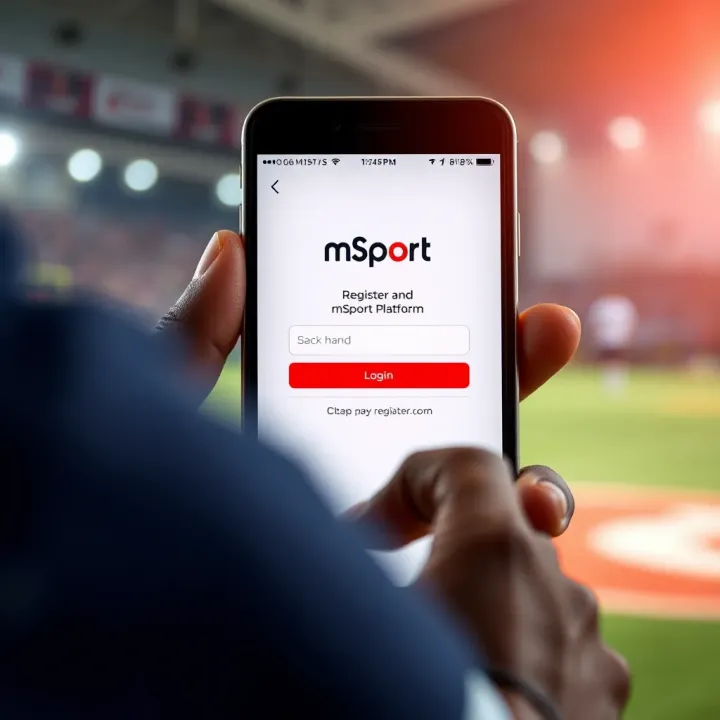
mSport is designed for easy use on mobile devices and desktop, keeping Nigeria’s varied internet connectivity in mind. It supports popular browsers and mobile apps, letting you check scores or place bets without lag or crashes.
Remember, safeguarding your login details is crucial. Use a strong, unique password and avoid sharing it. mSport never asks for your password outside the app, so watch out for phishing attempts.
Before starting registration, have the following ready:
Phone number: Ideally a Nigerian number for verification via SMS.
Email address: For account confirmation and notifications.
Valid ID: Some features may require identity verification due to regulatory guidelines.
The benefits of registering include:
Access to live updates and exclusive sports content.
Ability to place bets and track your betting history.
Personalised alerts tailored to your favourite teams or events.
Enhanced security through account recovery options.
Knowing these key points will help you set up your mSport account without hassle and engage fully with the platform’s offerings. Next, we will look at the step-by-step registration process and how to handle common login troubles.
Understanding the mSport platform is essential for anyone looking to stay connected to Nigerian and global sports events efficiently. This section gives insight into what makes mSport a preferred choice for sports fans and why having an account unlocks better access and features.
mSport delivers more than just live matches; it provides comprehensive sports coverage tailored for Nigerian viewers. Users can follow the Nigerian Professional Football League (NPFL), the English Premier League, and other popular leagues. For instance, you can stream live games, get real-time match updates, and access expert analysis that informs betting decisions. Plus, there are exclusive interviews with local athletes, highlight reels, and statistics that help journalists and analysts keep their reports sharp.
The platform also offers interactive features such as polls and prediction contests, which engage fans beyond passive watching. Bookmakers find mSport's data particularly useful because the platform supplies timely odds changes and injury reports that affect bets. Moreover, regulators can monitor broadcasts to ensure content compliance and fair play discussions.
Registering on mSport is not just a formality; it opens the door to personalised experiences. Without an account, access tends to be limited to general content with ads and restrictions on live streaming. Having an account allows you to customise alerts for favourite teams, save preferred matches, and receive tailored betting tips.
For sports analysts and journalists, an mSport account provides access to in-depth statistics and archives that are invaluable for research and reports. Bookmakers use these insights to adjust odds and markets effectively. Additionally, account registration helps the platform maintain user data securely, giving regulators clear audit trails and reducing fraudulent activities.
Registering enhances safety and ensures Nigerian sports enthusiasts get the most relevant and timely content without hassle.
In summary, mSport is designed to meet the needs of the Nigerian sports community, combining ease of use with quality content and practical features that cater to bettors, journalists, analysts, and regulators alike.
Creating an account on mSport is your first step towards accessing a rich variety of sports data, live updates, and expert analysis tailored for Nigeria's vibrant sports scene. This guide breaks down the sign-up process to ensure you avoid common pitfalls and get started swiftly.
Before you begin the registration, gather some key details to speed things up. You'll need a valid email address or active phone number, as mSport uses these for account verification. Also, have your preferred username and a strong password ready. For instance, if you're an analyst needing quick access to real-time scores, having these at hand prevents delays during peak moments, like weekend league matches.
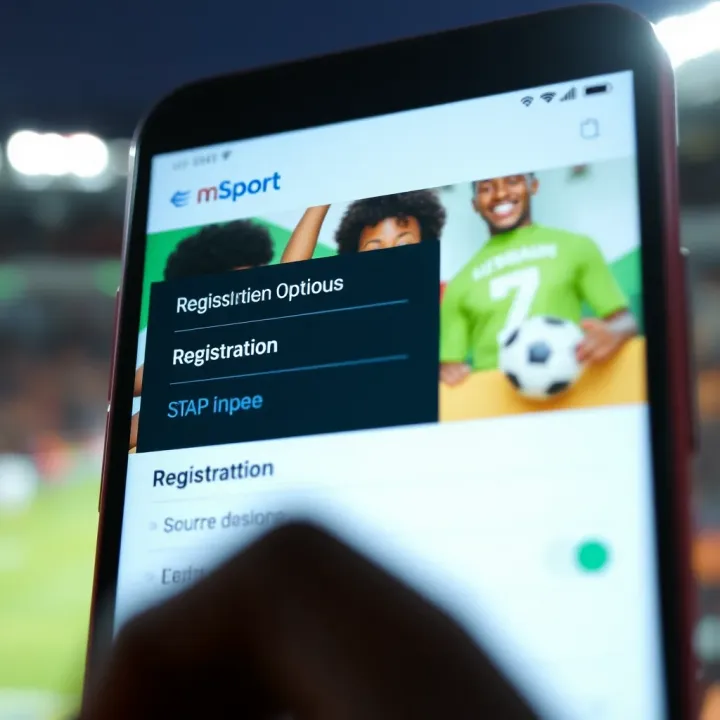
Additionally, mSport may ask for your date of birth to tailor content or restrict age-sensitive sections, so enter this information accurately. Consider using a personal rather than shared email or phone number to maintain account security and personalised notifications.
Once on the mSport registration page, input your username, email or phone number, and create a password. Aim for a mix of letters, numbers, and symbols in your password—it reduces the risk of breaches, especially important if you place bets or work as a bookmaker.
Check for any pre-filled country codes or Nigerian mobile formats to avoid errors. For example, when entering your phone number, ensure it starts with '+234' followed by your mobile number without the leading zero.
You'll also find terms and conditions or privacy policy checkboxes; read them briefly and tick to proceed. If you're registering during busy times, like ahead of a major football tournament, a clear and error-free form ensures you don't miss out on time-sensitive content or betting windows.
After submitting the registration form, mSport sends a verification link or code to your email or phone. This verification secures your account and confirms your contact details. If you do not receive it within a few minutes, check your spam folder or ensure your phone has network coverage.
Enter the verification code promptly; this step switches your registration from a simple form fill to an active account ready for use. For sports journalists, this is crucial as delayed access could mean missing breaking news or important match updates.
Remember, verification is not just bureaucratic; it protects your account against misuse and helps mSport provide personalised, secure services aligned with Nigerian digital standards.
Following these steps carefully will help you register efficiently and prepare you to explore the full range of mSport's sports updates, betting insights, and more designed specially for Nigerian users.
Logging in to your mSport account is a key step to accessing the rich sports content the platform offers. For bettors, analysts, journalists, and bookmakers, smooth login ensures quick updates and timely decision-making. This section breaks down how to reach the login page, enter credentials properly, and use the 'Remember Me' feature in a safe manner.
To get started, open your preferred web browser or the mSport app if installed on your phone. Make sure you have a reliable internet connection. Navigate directly to the official mSport website or app—avoid random links from third-party sources as these might be fake or phishing sites. On the home page, the login button is usually visible at the top right corner. Clicking this will take you straight to the login screen where you can enter your details.
If you face trouble finding the login page, clear your browser cache or try using a different browser. Using popular browsers like Google Chrome or Mozilla Firefox tends to provide better compatibility with the platform. For mobile users, the app’s login screen can be accessed after launching the app; ensure the app is updated regularly from the Play Store or App Store to avoid glitches.
Inputting your login details accurately avoids unnecessary delays and account lockouts. Use the email address or username you registered with, plus your password exactly as set. Both fields are case sensitive, so double-check your caps lock and keyboard language settings before typing. For example, typing “Password123” instead of “password123” can lock you out.
If you often struggle to remember passwords, consider storing login information securely using password managers like LastPass or Bitwarden rather than defaulting to weak, easy-to-guess passwords. On mSport, failed login attempts usually prompt an error message. Take note of these to understand if the problem is with your email, username, or password.
The ‘Remember Me’ checkbox on the login page is convenient for saving login credentials on your personal device, so you don’t need to enter them repeatedly. However, use this option only on private devices—not on public or shared computers like internet cafes or office workstations.
For instance, if you use your personal laptop at home, ticking ‘Remember Me’ can speed up access during match days or live betting. But on shared devices, it risks exposing your account to others, who might alter bets or misuse your information. A safer approach is to log out after each session if accessing from outside your personal environment.
Always balance convenience with security. Keeping your mSport account protected means you can enjoy uninterrupted sports action without fearing account hijacking or data breaches.
Managing your login properly makes your interaction with mSport smoother, helping you focus on the game, latest scores, and betting odds rather than technical hiccups or security concerns.
Even with a straightforward platform like mSport, users might face hiccups during sign-up or login. These issues can be frustrating, especially if you're eager to catch a live match or follow betting odds closely. Understanding how to troubleshoot common problems helps you get back on track quickly, avoiding wasted time or missed opportunities in Nigeria's dynamic sports scene.
Forgetting your password is a common snag, but mSport has a clear recovery process. Start by clicking the ‘Forgot Password’ link on the login page. You’ll be asked to enter the email or phone number linked to your account. Once submitted, mSport will send a password reset link or a recovery code via email or SMS.
Be cautious to check your spam or junk folder if you don’t see the email within a few minutes—sometimes, registration emails get misclassified, especially with busy Nigerian email servers. After clicking the reset link or entering the code, choose a new password that’s strong yet memorable. Combining upper and lowercase letters, numbers, and symbols is advisable.
Account verification is crucial, as mSport requires confirmed emails or phone numbers for full access. Verification delays can occur if the activation email or SMS doesn’t arrive. A common root cause is entering incorrect contact details during registration.
If you haven’t received a verification message, double-check the info you provided and request a new code from the platform’s resend option. Persistent issues may require contacting mSport support. Nigerian mobile network fluctuations or spam filters sometimes block verification messages, so switching to an alternative email or phone number might be necessary.
Login errors can stem from many causes: typos in your credentials, expired sessions, or security locks after multiple failed attempts. mSport usually locks accounts for 15-30 minutes following repeated wrong password entries to protect your details. Avoid guessing passwords repeatedly; instead, use the password recovery process.
If you’re sure your credentials are correct but still can't log in, clear your browser cache or try using a different device or browser. Also, check your internet connection stability, as intermittent disruptions often cause failed login attempts. For locked accounts due to suspicious activity, contacting mSport’s customer care promptly helps restore access without delay.
Regularly reviewing these troubleshooting steps keeps your mSport experience smooth, especially when live sports updates and betting demands prompt access. Never ignore platform notifications about security or account status, as these provide vital guidance to prevent being locked out.
Managing your mSport account with care protects you from fraud and keeps your sports data intact. In Nigeria, where online scams are frequent and cybercriminals target popular platforms, securing your account is not just advisable but necessary. This section highlights practical measures you can implement immediately to safeguard your mSport presence.
A strong password acts as the first line of defence for your mSport account. Use a mix of uppercase and lowercase letters, numbers, and symbols rather than simple words or dates common in Nigerian homes, like 'July4' or 'abad1234'. For instance, 'Ns07$uYa!' is much tougher to guess than 'password123'. Avoid recycling passwords from bank or email accounts to lessen the risk of multiple accounts being compromised at once.
Make it a habit to change your password every three to six months. Regular updates stop attackers from benefiting if they gain access without your knowledge. You can also use password managers such as LastPass or 1Password – these tools safely store complex passwords and remind you when it’s time to update them.
Phishing is a common tactic in Nigeria where criminals send messages or emails pretending to be from platforms like mSport, seeking your login details. Always verify the sender's email or SMS source before clicking any link. Legitimate mSport messages will never ask you to share your password via email or phone.
If you receive suspicious communication, do not respond or enter your credentials. Instead, type the mSport website address directly into your browser or use the official app. Watch out for poor spelling or strange URLs. For example, an email from ‘msport.ng’ is valid, but one from ‘msport-login2024.com’ is suspicious.
When in doubt, go directly to mSport support. They can help with lost passwords, account verification issues, or suspicious activity alerts. Always use official contact channels listed on the mSport platform rather than third-party sources or unknown social media accounts.
Saving mSport’s support number or email on your phone is wise. Also, many platforms now offer live chat support during Nigerian business hours, making quick resolutions possible without the stress of delays.
Staying one step ahead with these security tips ensures your mSport experience stays smooth and uninterrupted. Don't wait for a problem before taking action.
Taking these steps seriously greatly reduces risks and prepares you to enjoy Nigeria’s vibrant sports streaming scene through mSport securely.
Get started with Msport today! Register easily to enjoy the latest Nigerian sports updates, live scores, exclusive features and more ⚽📱 Stay connected with every kick!
📊 Discover MSport Log's functions, features and how Nigerian users can register, troubleshoot issues, and keep data secure for smooth experience 🇳🇬

✅ Ready to open your MSport shop in Nigeria? Learn step-by-step how to register your sports equipment or mobile platform business legally and avoid costly delays!

🖥️ Need to register for MSport online in Nigeria? Follow our clear guide for requirements, step-by-step process, and tips to avoid common challenges. Get registered smoothly!
Based on 13 reviews