
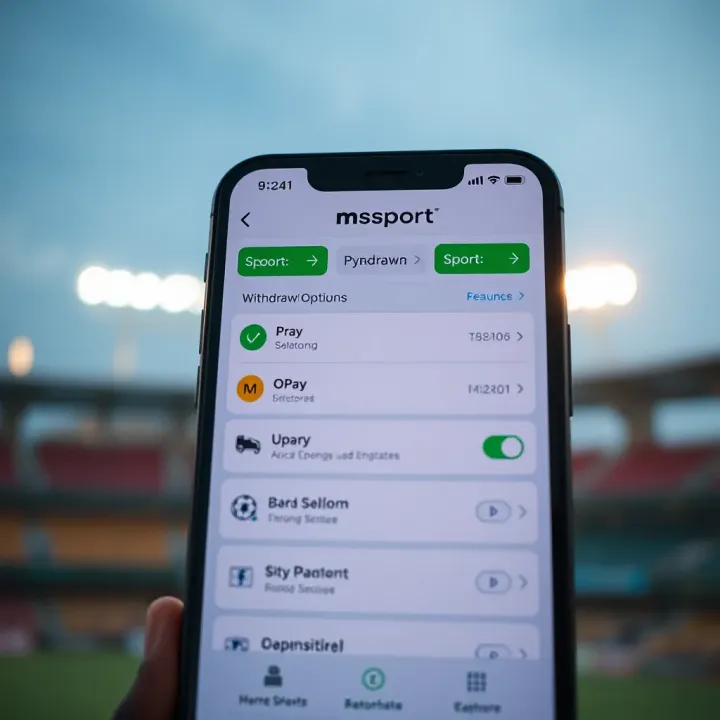
How to Withdraw Funds from Msport to OPay in Nigeria
Learn how to withdraw funds from Msport to OPay in Nigeria 🔄 Step-by-step guide, options if direct transfer isn’t available, and tips for smooth ₦ transactions 💱
Edited By
Elizabeth Ojo
Withdrawing funds from the MSport app in Nigeria is straightforward but demands some preparation to avoid hiccups. Before initiating a withdrawal, make sure your MSport account is fully verified. This verification includes submitting your Bank Verification Number (BVN) and confirming your personal details, as MSport follows the Central Bank of Nigeria's (CBN) guideline on identity verification for financial transactions.
Active MSport account: Your account must be active and in good standing.
Verification: BVN and valid identification are compulsory for transaction approval.
Minimum withdrawal amount: MSport requires a minimum of ₦500 for withdrawals, so ensure your balance meets or exceeds this.
Linked bank account or mobile wallet: Set up your preferred withdrawal destination, which can be a bank account or supported mobile wallet such as OPay or PalmPay.
Without meeting these, MSport will block withdrawal attempts.
Always double-check your bank details before confirming withdrawal to avoid failed transactions or funds going to the wrong account.
MSport offers two main withdrawal methods:
Direct Bank Transfer: This is the most common and trusted option. Withdrawals typically reflect within 24 to 48 hours.
Mobile Wallets: Some users prefer withdrawing to mobile wallets like OPay or PalmPay for quicker access and easier fund management.
The app may allow withdrawals through USSD codes too, a popular feature for users with limited internet access.
Keep your app updated to access the latest security features.
Avoid withdrawing during peak periods (like ember months) when the network might be slower.
Record your withdrawal confirmations and transaction IDs until funds reflect.
If withdrawal delays persist beyond 48 hours, contact MSport customer support with proof of transaction.
Understanding these essentials lays the groundwork for smooth transactions on MSport. Setting up your account correctly and choosing the right withdrawal option will save you time and stress, allowing you to enjoy your winnings without unnecessary delay.
Starting well with the MSport app is essential for a smooth betting and withdrawal experience. Getting your account setup right from the beginning saves you time and troubles later, especially when you want to access your winnings quickly. Without proper registration, identity verification, and funding, withdrawing your funds could turn into a frustrating exercise.
Registering on the MSport app requires entering your correct personal information—like your full name, phone number, email address, and date of birth. The reason accuracy is key is straightforward: it links your identity to your betting activity and future transactions. Suppose you input a wrong email or phone number; you might miss withdrawal alerts or fail to receive verification codes. In Nigeria, where secure identification against fraud is vital, this accuracy ensures your winnings go straight to you, not a stranger.
For example, if your bank account name doesn’t match your MSport profile name exactly, the withdrawal request can be declined. So, taking care during registration prevents this mismatch.
Once registered, confirming your identity is the next step before you can withdraw. MSport typically requires submitting valid ID documents like a National Identity Number (NIN), International Passport, or Driver’s Licence. This verification is not just bureaucracy; it’s to comply with Nigerian Financial Regulatory bodies like the CBN and prevent money laundering.
Without verification, withdrawal requests will likely be blocked or delayed. The app usually informs you when you need to verify, and completing this step promptly means you can cash out your winnings without delay, particularly when you want to transfer large sums.
To place bets and, eventually, withdraw winnings, you need to fund your MSport account first. MSport supports several deposit options popular in Nigeria, including bank transfers from Zenith or GTBank, USSD payments, and mobile money wallets like OPay and PalmPay. Having multiple channels helps because you can choose the most convenient or cheapest way.
For instance, if you’re in Lagos and your mobile network supports USSD payments, you can fund directly without visiting an ATM or bank. This flexibility allows you to bet and withdraw funds more efficiently.
It’s obvious but worth stating: to withdraw, you must have enough funds in your MSport wallet. That means any amount you wish to withdraw should be above the minimum set by the platform, usually ₦500 or ₦1,000. Also, if you have ongoing bets or unsettled winnings, these won’t count towards your available balance.
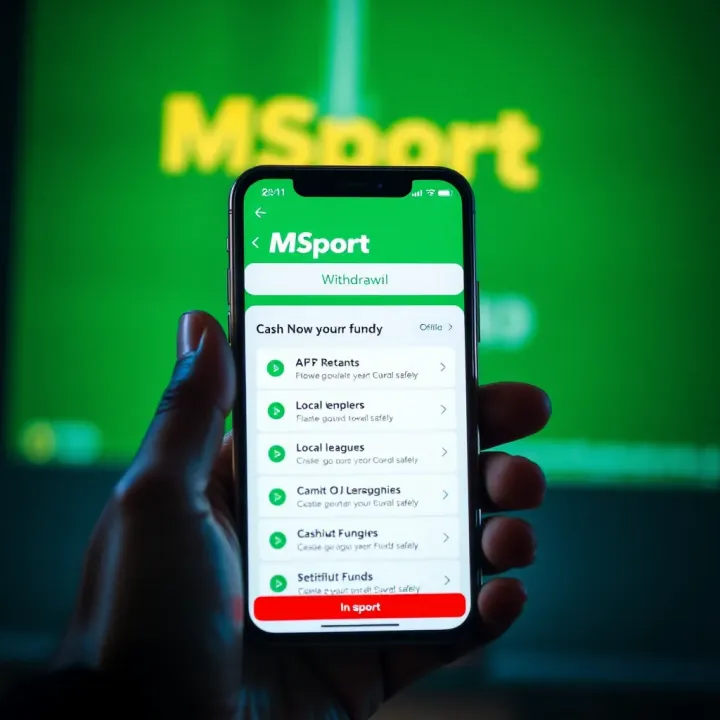
Check your balance regularly before requesting a withdrawal to avoid declined requests. For example, if your account shows ₦2,000 but ₦1,500 is tied up in bets, you can only withdraw the remaining ₦500. Being mindful of this helps avoid frustration and unnecessary appeals.
Setting up your account correctly with accurate personal details, verifying your identity, and ensuring your account is properly funded are the stepping stones for hassle-free funds withdrawal on MSport.
Getting ready to withdraw your winnings on the MSport app means checking certain conditions and ensuring your account details are correctly set up. This step is essential to avoid transaction delays or outright rejection of your withdrawal requests. By preparing properly, you safeguard your funds and speed up the payout process.
One key condition is the minimum withdrawal amount. MSport requires you to withdraw at least a specific sum, usually starting from ₦500, depending on their current policies. This ensures transactional costs are covered, especially important in Nigeria, where transfer fees can eat into smaller sums. For example, trying to withdraw just ₦100 may not be accepted because it’s below the set threshold.
Another important factor is clearing betting requirements. If you received any bonuses or promotions, MSport might require you to meet certain playthrough conditions before allowing withdrawal. These conditions mean you must wager a specified multiple of your bonus amount before the winnings become withdrawable. This prevents quick bonus cashouts, helping the platform maintain fair play. So, if you got a ₦5,000 bonus with a 3x wagering requirement, you’ll have to place bets totalling ₦15,000 before withdrawing that bonus or related winnings.
To cash out smoothly, adding your bank account details correctly on the MSport app is crucial. You’ll need to provide your account number and bank name, which the app usually verifies instantly to avoid errors. Make sure your bank details match your registered name to prevent transfer issues. The MSport app’s user-friendly interface makes this process quick and straightforward.
MSport supports many Nigerian banks, including GTBank, Access Bank, Zenith Bank, First Bank, UBA, and others. This broad coverage means you can link most major Nigerian bank accounts without hassle. Still, it’s best to confirm your bank is supported before attempting withdrawal to avoid unnecessary delays. For example, if you bank with Kuda or Polaris Bank, they are commonly accepted by such platforms, making your withdrawal process seamless.
Always double-check your bank details after inputting them to avoid withdrawal rejection—small mistakes like a wrong digit can cause frustrating delays.
Taking these preparatory steps seriously ensures your funds reach you quickly and without stress. Proper preparation makes the entire withdrawal experience with MSport smoother and more reliable.
Navigating through the withdrawal process on MSport is straightforward, but having a clear step-by-step guide saves you from common mistakes and delays. This section provides detailed instructions on how to withdraw your winnings efficiently, making sure you understand each phase to avoid hiccups.
Getting to the withdrawal section is the first practical step. When you open the MSport app, you’ll land on the dashboard where your betting activity is displayed. The user interface is designed to be intuitive, so navigating through menus is mostly straightforward for anyone familiar with mobile apps.
Look for the menu bar, usually found either at the bottom or the side depending on your phone’s screen size. This menu hosts key options like "Home," "Bet Slip," "Account," and others. The withdrawal option is typically under the "Account" or "Wallet" tab, grouping your financial transactions in one place. This logical layout helps you find what you need without scrolling through unrelated sections.
Once you tap on the "Account" or "Wallet," the withdrawal option should be clearly labelled. It's often paired with deposit and transaction history features, making it easy to switch between depositing and withdrawing funds. This placement reduces confusion and speeds up your transactions, especially if you regularly engage with your funds.
Having the withdrawal function prominently placed also helps users new to the app. For example, if you recently funded your account via USSD or Paystack, you won’t have to hunt around to cash out your winnings. MSport designs the app flow with user convenience in mind.
Here, you input the amount you wish to withdraw. The app usually shows your available balance clearly, so you know your maximum limit at a glance. Always check first that your desired amount meets the minimum withdrawal threshold, which MSport specifies to avoid transaction rejections.
Suppose your balance shows ₦15,000, but the minimum withdrawal is ₦1,000; you can enter any value from ₦1,000 up to ₦15,000. Double-checking this ensures your withdrawal doesn’t get delayed or declined, saving you time.
Next, selecting your destination account is crucial. MSport supports major Nigerian banks like GTBank, Zenith Bank, Access Bank, and others. You must choose the linked account that will receive the funds. This step avoids sending money to the wrong account and confirms your authenticity.
If you have multiple accounts registered, be sure to pick the right one. For instance, if you prefer accessing winnings through UBA instead of your GTBank account, the app allows you to switch easily. This flexibility is quite practical, especially if you manage funds across multiple banks.
Before you proceed, review all withdrawal details carefully. Confirm the amount and destination account are exactly as intended. Mistakes at this stage can lead to processing delays or sending funds to the wrong place, which can be difficult to reverse.
Think of it like withdrawing money from an ATM. You wouldn’t just press buttons blindly — you’d check the amount and account number to be sure. MSport mimics this cautious approach digitally to protect users.
Finally, you confirm the request by submitting it. The app then processes the withdrawal based on bank and regulatory protocols. MSport usually credits your account within minutes to a few hours, depending on the bank and network conditions.
Always keep a copy or screenshot of your withdrawal confirmation for your records. This can be useful if you need to follow up on any transaction issues.
By following these steps, you ensure your withdrawal on MSport is smooth, secure, and done without stress. It keeps your winnings accessible so you can enjoy them without unnecessary delay or hassle.
Understanding the withdrawal options and their processing times is essential for anyone using the MSport app. It directly affects when you get access to your winnings and the convenience of the transaction. Choosing the right channel for withdrawal can save you unnecessary waiting and avoid surprise fees, boosting a smooth betting experience.
Bank transfers on the MSport platform usually take between 24 to 72 hours to reflect in your Nigerian bank account. This timeframe depends largely on the bank in question and the day/time of the withdrawal request. For example, withdrawals sent to GTBank or Zenith Bank often process faster during working days, while transactions during weekends or public holidays may take longer. Being aware of this helps you plan when to withdraw your funds, especially if you need the money urgently.
MSport may impose minimum withdrawal amounts, typically starting from ₦1,000, to reduce system burdens and ensure viable transactions. There could also be maximum limits per withdrawal or daily caps to prevent abuse. While most withdrawals to Nigerian banks are free, some banks or MSport might deduct a small fee depending on the amount or frequency of transactions. These charges, if any, should be clearly stated in the app. Knowing these limits and fees upfront prevents surprises and helps you manage your stakes better.
Mobile money services like Paga or MTN Mobile Money have grown popular in Nigeria, especially for users who prefer quick, wallet-to-wallet transactions. MSport supports some of these mobile money platforms for withdrawals, offering faster turnaround times than conventional banks in many cases. For instance, a withdrawal through MTN Mobile Money can be credited within a few hours, ideal for players without traditional bank accounts or those in regions where mobile payments are more accessible.
Third-party platforms such as Paystack and Flutterwave also provide withdrawal alternatives on MSport. These platforms facilitate instant or near-instant transfers from your MSport wallet to your preferred payment method, including other digital wallets or bank accounts. They are especially handy if you use fintech apps like Kuda or OPay, which integrate smoothly with these services. Using third-party platforms may attract small service fees, but the trade-off is speed and flexibility. Always check the withdrawal section in the MSport app for updated options and any associated costs.
Picking the right withdrawal option on MSport involves weighing speed, convenience, and cost. Understanding the typical timings and fees empowers you to access your winnings without hassle or delay.
Dealing with withdrawal problems on the MSport app can save you time and prevent frustration. Knowing how to identify and fix common issues ensures your winnings reach your bank account smoothly. This section focuses on typical cases like verification delays and bank detail mistakes, as well as guidance on contacting MSport support for swift resolution.
Verification delays often occur if the identity documents you submitted during registration or withdrawal don't clear quickly. MSport may take time to confirm your details, especially if the documents are unclear or mismatched. For example, if the name on your bank account differs even slightly from your registered name, it can hold up the process. To avoid delays, ensure your profile information matches official records exactly, and provide clear scans or photos when asked.
If you experience verification delays, don't panic. Check your email or app notifications for any requests to update your documents. If none, a quick follow-up with support can clarify the situation. Often, once the correct information is provided, your withdrawal can proceed without further hiccups.
Incorrect bank details pose a frequent problem leading to failed withdrawals or funds landing in the wrong account. This can happen if you your account number, select the wrong bank, or update your bank details without confirming changes properly. Since Nigerian banks often use 10-digit account numbers, a single wrong digit causes glitches.
Before confirming your withdrawal, double-check your bank account number and the bank name on the MSport app. If you notice a mistake after submission, contact customer support immediately to halt or correct the transaction. Remember, once a transfer is complete, reversing the process can be complicated and slow.
Knowing how to reach MSport support makes resolving withdrawal issues easier. MSport provides various channels such as live chat within the app, email support, and phone lines. Using the in-app chat is usually the fastest for straightforward queries about your withdrawal status or document verification.
Always provide detailed information when you contact support. Include your full name, MSport username, withdrawal transaction ID, the bank account involved, and a clear description of your problem. This helps the support team investigate without back-and-forth delays.
Prompt and clear communication with MSport’s support team can significantly reduce downtime and get your funds paid out quickly.
Bringing all relevant details upfront avoids missed information and speeds up the resolution. For instance, mentioning the date you initiated the withdrawal and any error messages shown is helpful. This practice not only helps MSport assist you better but also prevents repeated queries and longer waiting times.
Learn how to withdraw funds from Msport to OPay in Nigeria 🔄 Step-by-step guide, options if direct transfer isn’t available, and tips for smooth ₦ transactions 💱
Stay updated with Msport app 📲 in Nigeria! Get live scores, news, custom alerts, and tips for smooth use on local devices and networks 🇳🇬⚽🏀
Learn how to safely download and install the old Msport app version in Nigeria 📱. Solve compatibility issues, manage updates, and enjoy a simpler interface hassle-free.
Explore the MSport sport betting app in Nigeria 📱⚽️! Learn how to set up accounts, access local payment options, and enjoy popular markets safely.
Based on 12 reviews